buzzfeed Press
Time Is Running Out To Enter This Week’s Community Challenge!
Images
1 / 15
2 / 15

3 / 15

4 / 15

5 / 15
6 / 15
7 / 15
8 / 15
9 / 15
10 / 15
11 / 15
12 / 15
13 / 15
14 / 15
15 / 15
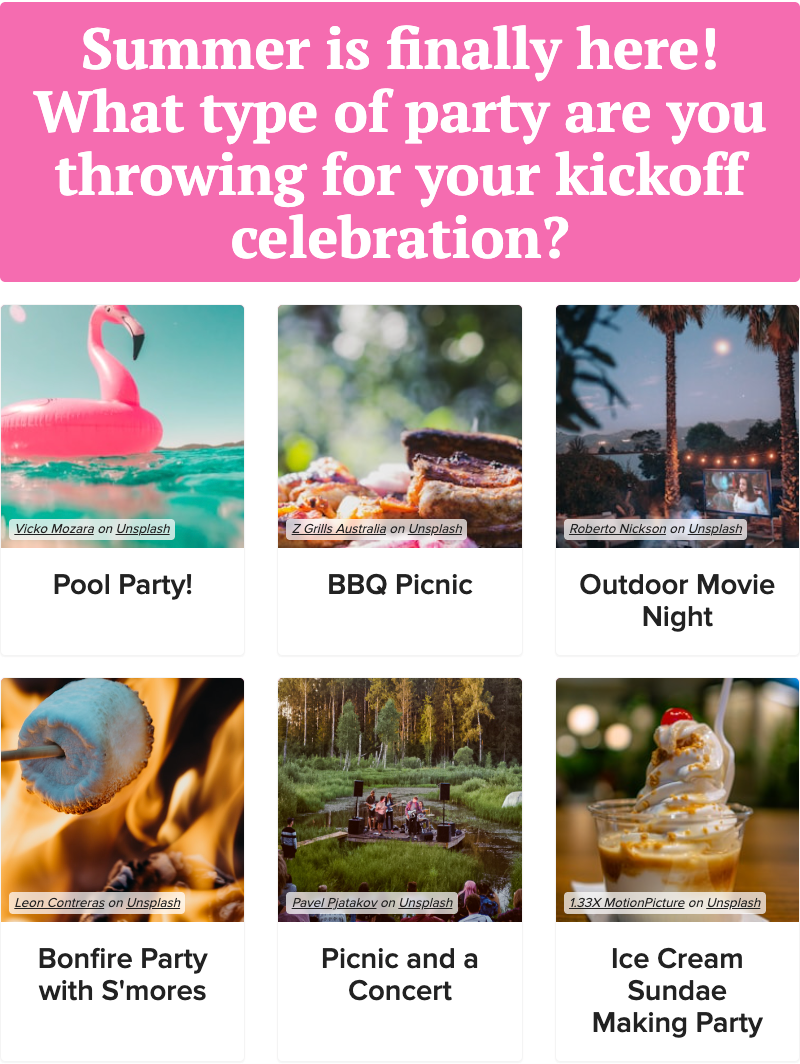
This quiz by Ingeborg1980 gives carefree summer vibes from start to finish! What better way to kick-off the summer season than with a summer kick-off party! Since I don't have the space or budget to throw the summer kick-off party of my dreams, I'm living vicariously through this quiz. If I could choose multiple options for this first quiz question, I would throw a BBQ picnic pool party by day that transitions into an outdoor movie night with bonfire s'mores and ice cream sundaes. However, I can only choose one so I'm going with pool party and, of course, you all are all invited! And the next day, we can all go to the amusement park where I work according to my result from this quiz! 🎡

Way to go Ingeborg1980! 👏 Prepare to see your post plastered all across BuzzFeed for all to admire! 🤩 And fantastic job to everyone else who entered. You all truly do not make it easy for our editors to choose a fave each week. Several of your posts will be promoted soon! ❤️

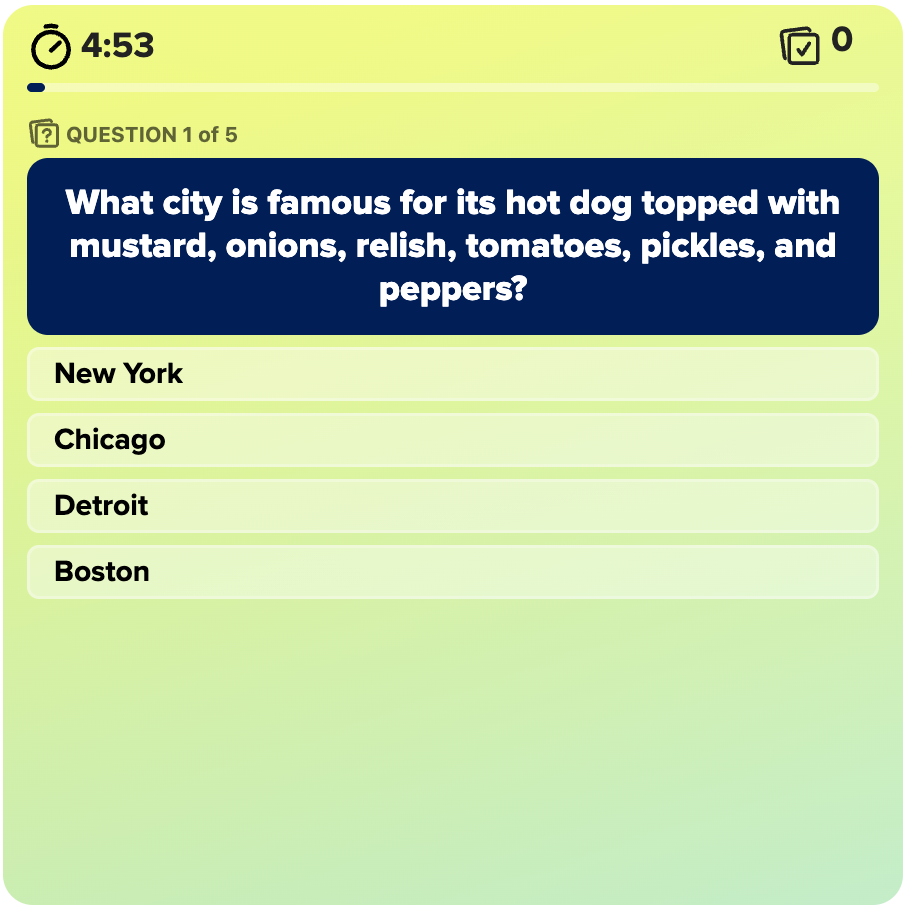
You may be asking yourself "I know how to make a trivia quiz, but how do I make a timed trivia quiz?" Well, if you didn't already know, we just launched a NEW version of our quiz builder which includes two new quiz formats: timed trivia and typey game! Timed trivia is just like regular trivia, but with the added pressure of a time limit. With less time to think, quiz takers really have to rely on their instincts when taking one of these quizzes.

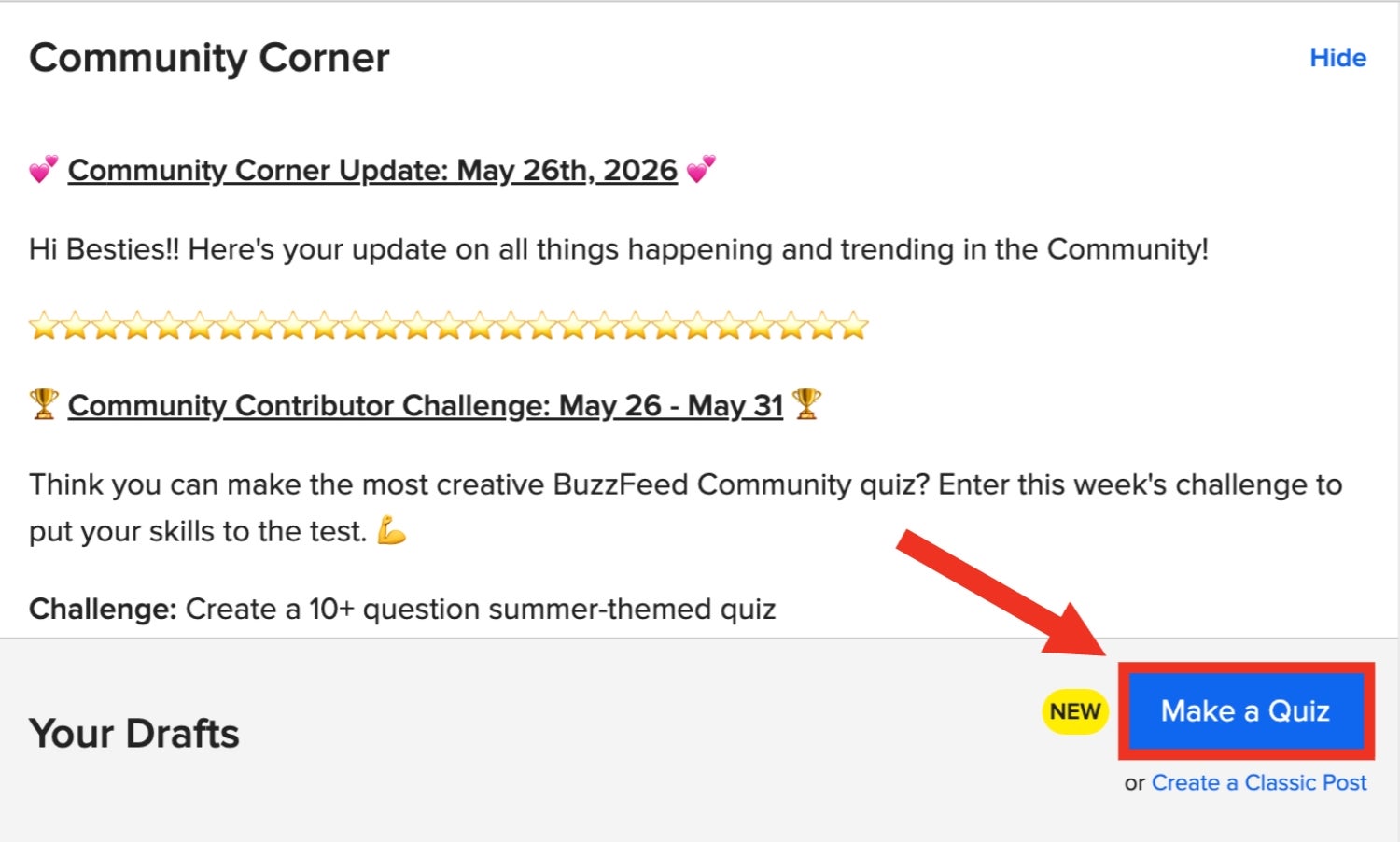
If you haven't accessed our new quiz builder yet, you can do so by clicking on your profile picture in the top right corner of any BuzzFeed page and then clicking "Posts" from the menu. This will bring you to your drafts page (which is also getting a makeover soon 😉).

This will bring you to your drafts page (which is also getting a makeover soon 😉). From here, click the "Make a Quiz" button underneath the Community Corner update.

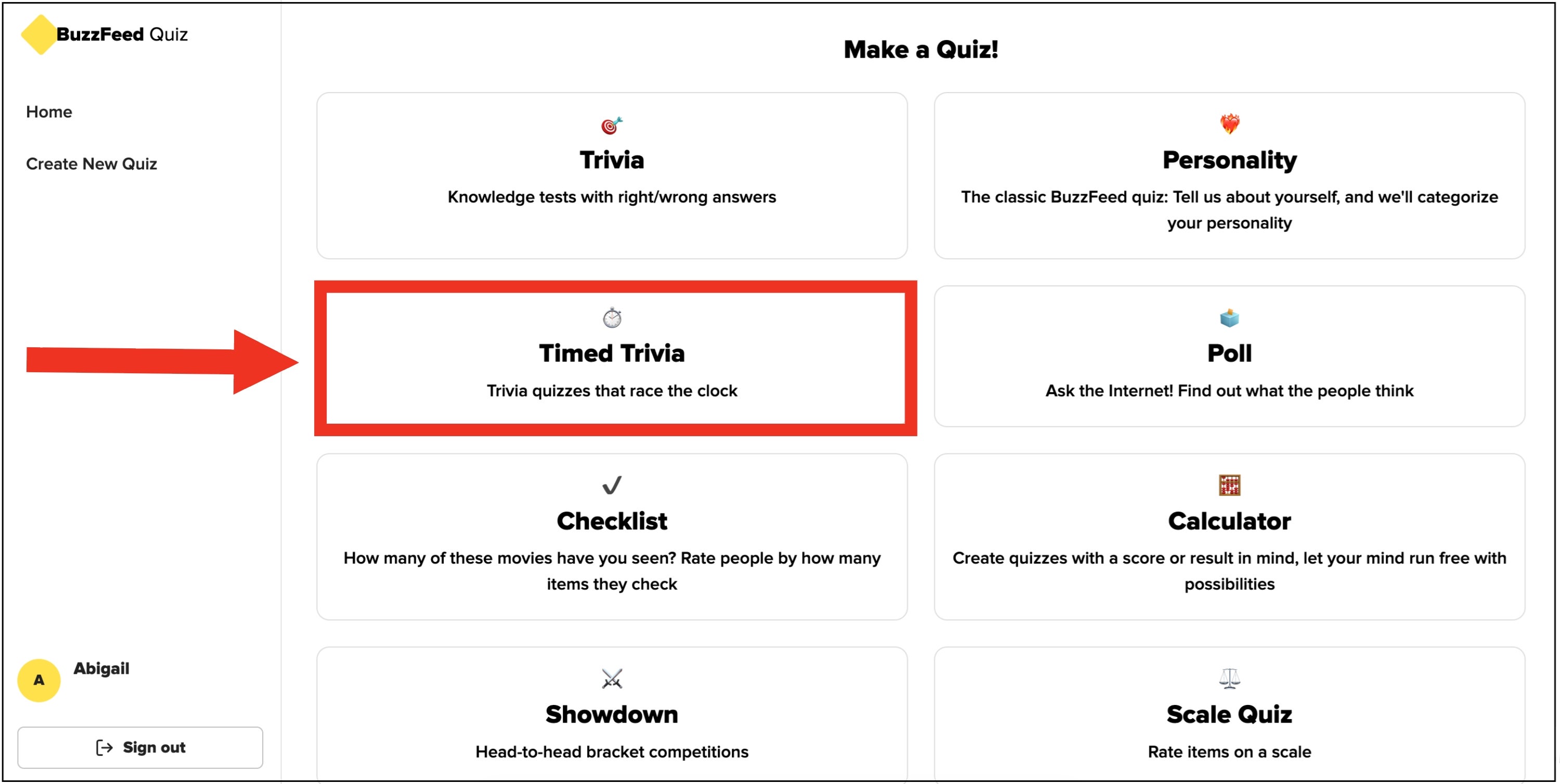
This will open our new quiz builder! Select "Timed Trivia" from the Make a Quiz menu.

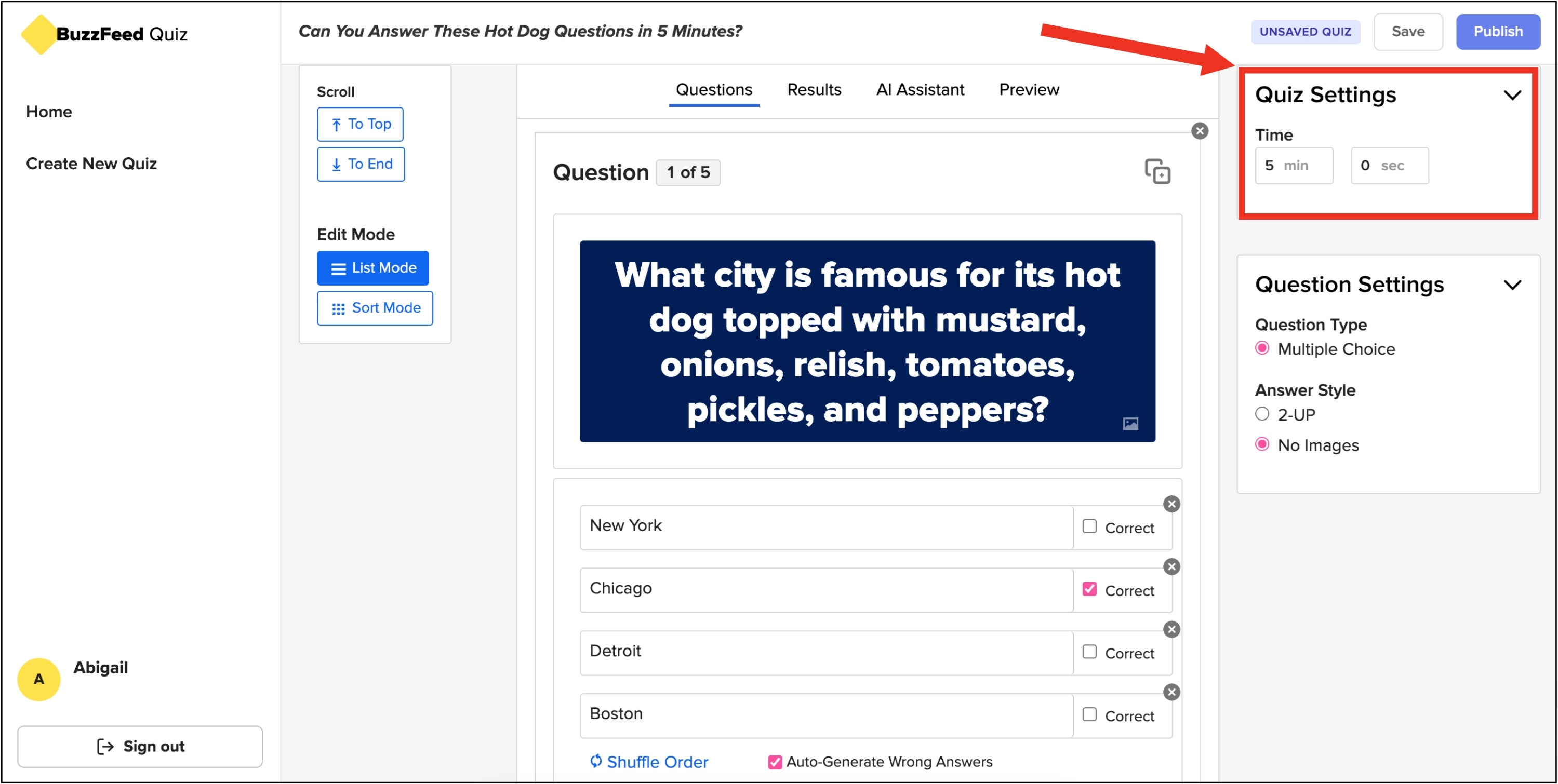
Now you can make your timed trivia quiz just like you would a regular trivia quiz. The only difference here is that there's now a Time setting in the right tool bar where you can decide how long you want to give quiz takers to take your quiz.

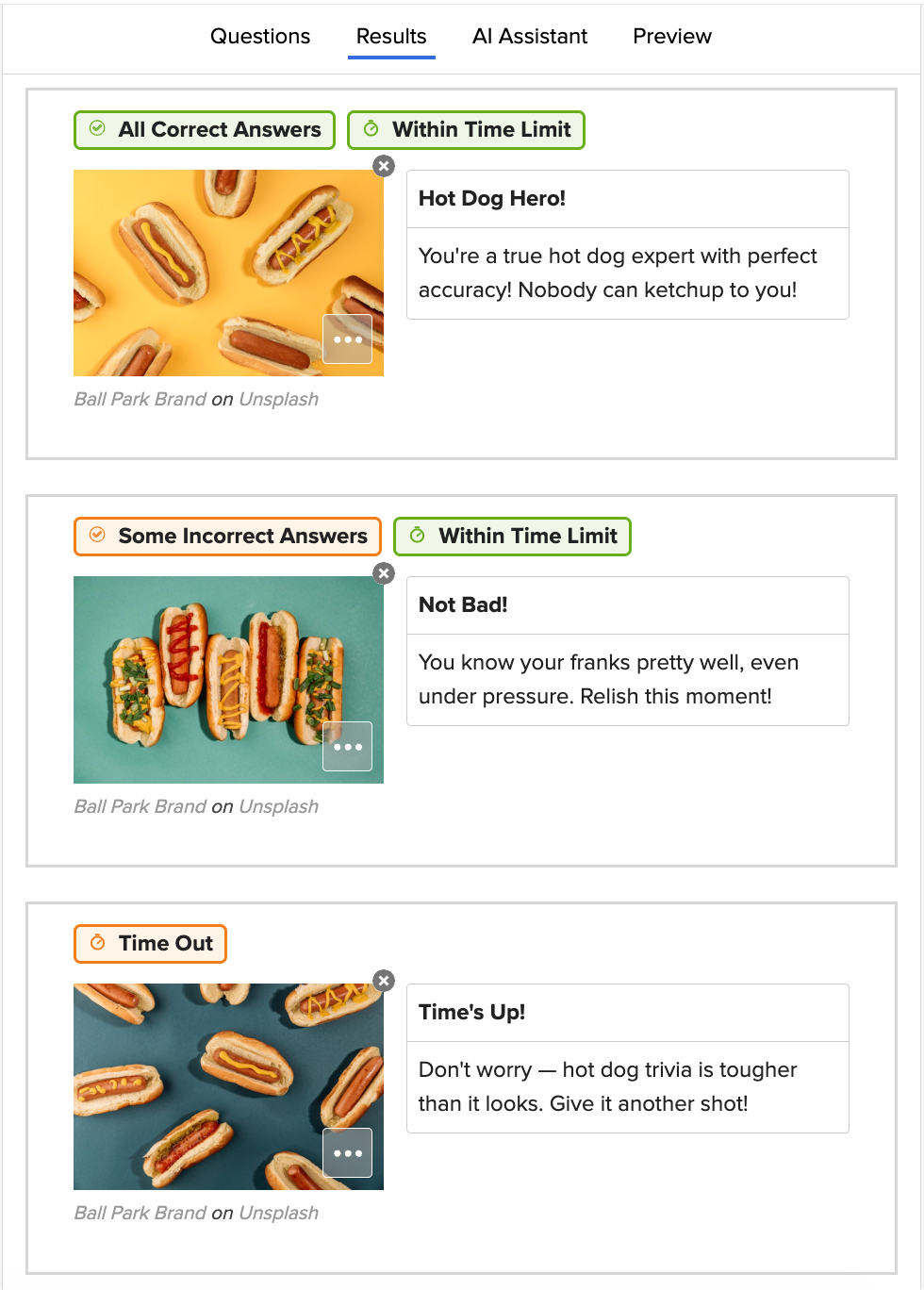
On the results tab, you can only have three result options: one if the quiz taker finishes the quiz within the time limit and gets all the questions correct, one if the quiz taker finished the quiz within the time limit but got some of the answers wrong, and one if the quiz times out.

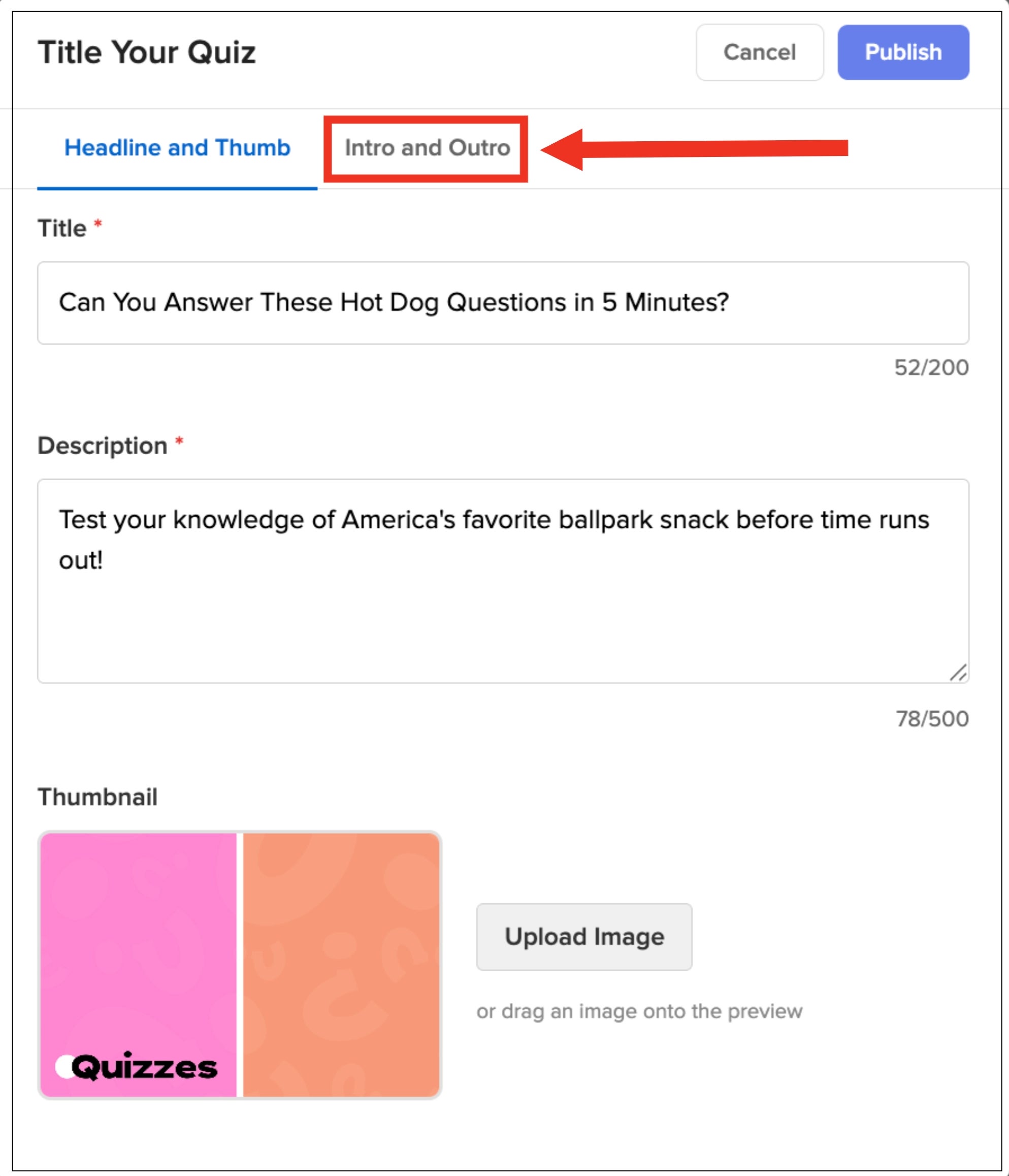
When you click "Publish" in the top right corner of your screen, a pop-up will appear. Here you can add your quiz title and description. You can also add a thumbnail or stick with the default two-color thumbnail already there. If you want to add an intro or outro paragraph to your quiz, there is a tab at the top of the pop-up that allows you to do so. Once your quiz is complete, click "Publish" again at the top of the pop-up.

One thing you'll notice is that timed trivia quizzes look a liiiiittle different. This new look makes them more mobile friendly for anyone taking your quiz on their phone. Also, our new quiz builder is also mobile friendly! I highly recommend testing it out if you want to make quizzes on-the-go or just want time away from your laptop.

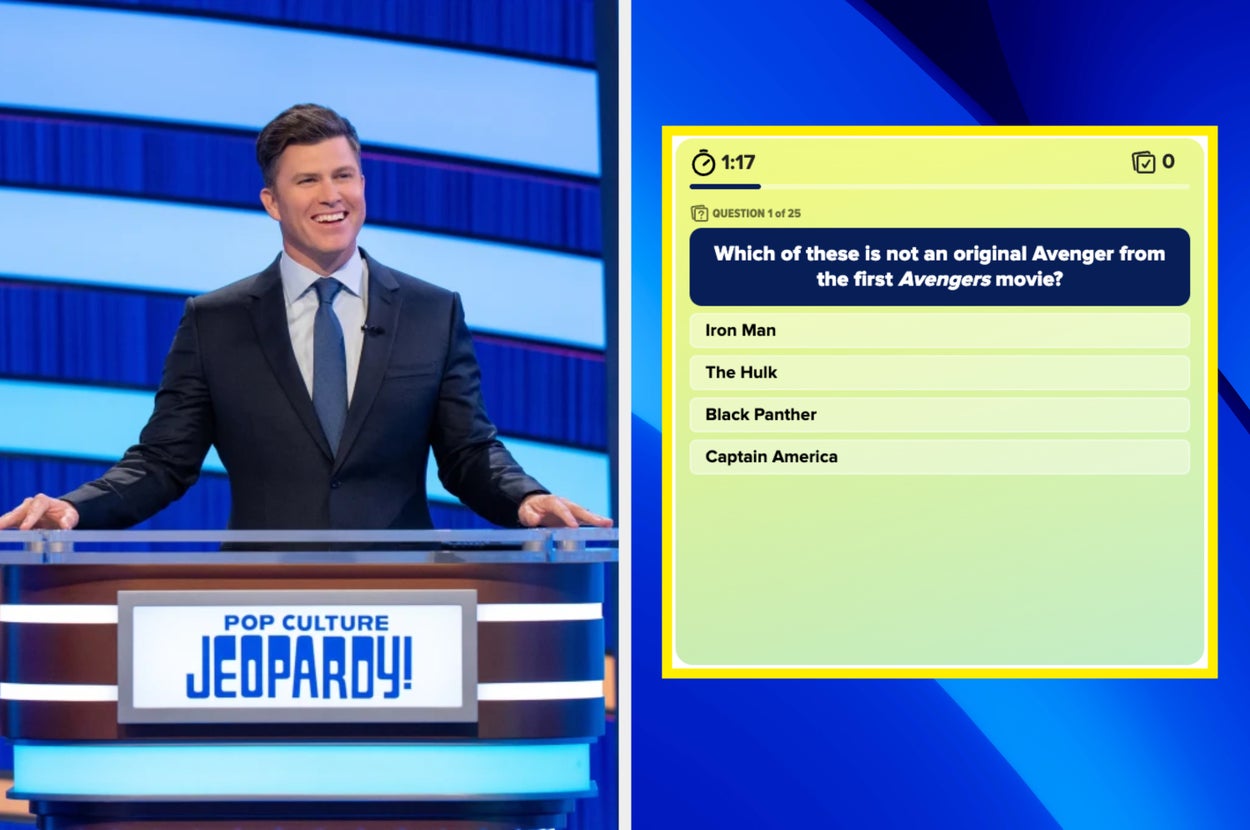
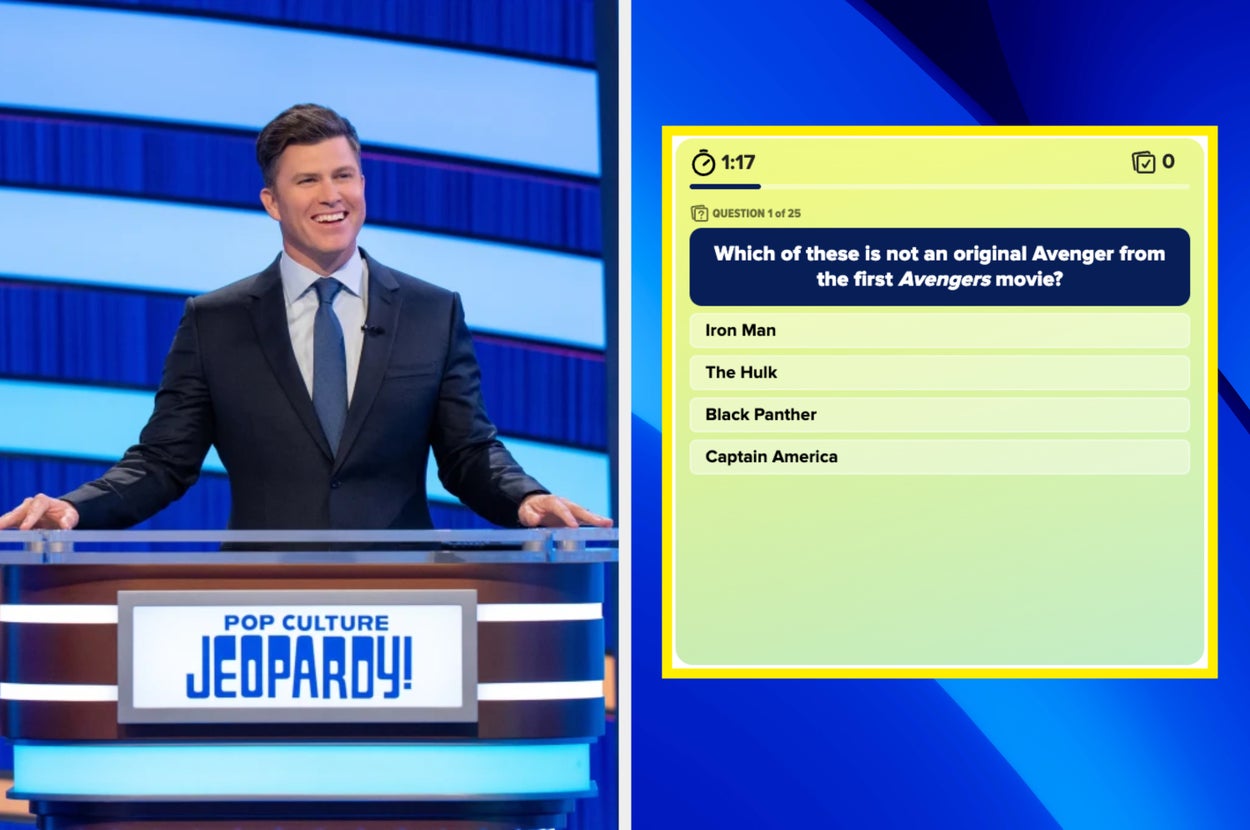
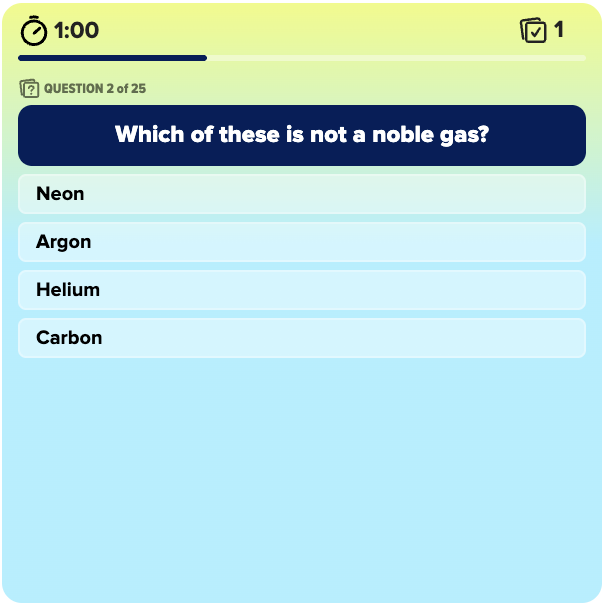
A minute and a half to answer 25 questions!? That means you can only spend 3.6 seconds per question in this general knowledge quiz by NicoleBeck. As you can see in this screenshot, I was already doomed by question two because I completely forgot what a noble gas is!!!

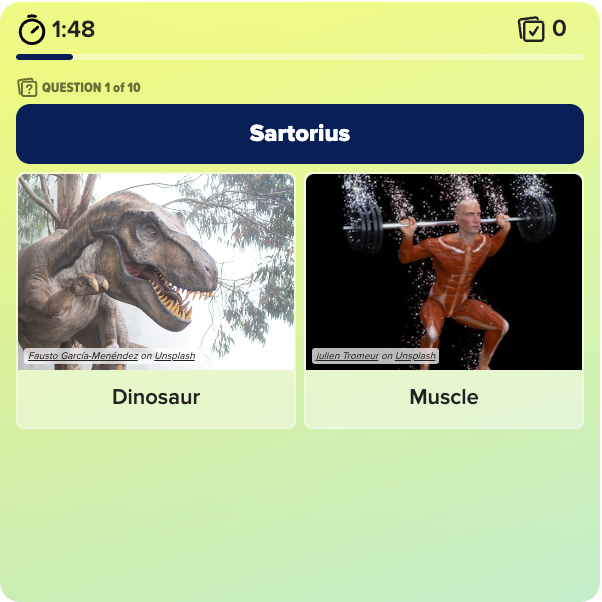
I know nothing about dinosaurs or muscles so I was guessing throughout this entire quiz by E+RCreative and got most of the questions wrong. Now that I'm staring at this question in particular, Sartorius also kind of sounds like an ancient philosopher.

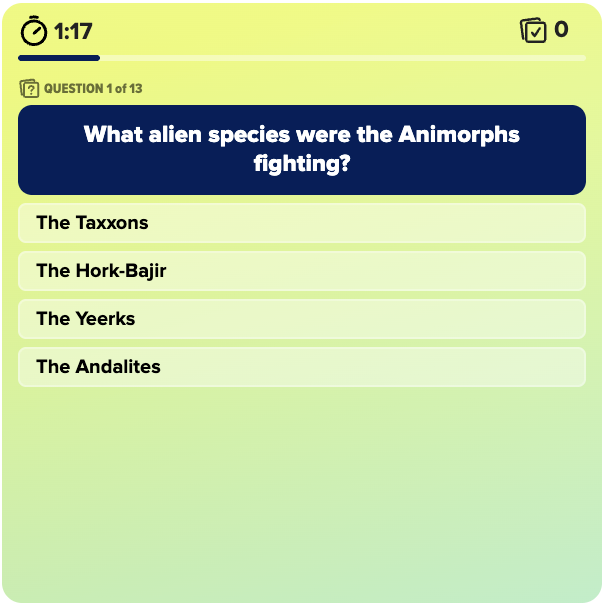
As a lifelong reader, I thought I would ace this scholastic book fair quiz by avinashnarayanan1, but I was quickly humbled from the start. I might be the only person I know who didn't read a single Animorph book. The covers always freaked me out!

✨ A prominent feature at the top of the quiz homepage

✨ A BuzzFeed app push notification or Quiz newsletter mention that links to your quiz

✨ A feature on the BuzzFeed Community Instagram*

*If you'd like us to tag you when you feature your post on the BuzzFeed Community Instagram account, make sure you link your social accounts in your BuzzFeed profile!

Challenge Ends: Sunday, June 7th at 11:59pm ET

Editors' Pick Announced: Monday, June 8th at 2:00pm ET

Any posts published before the challenge begins or after the challenge ends are not eligible and will be disqualified from the challenge.

If you submit more than one post into the challenge, we'll only consider your most recent challenge submission.

Any posts that violate our Community Guidelines or users who violate our User Agreement may be removed from our platform.

This one isn't necessarily a rule, but a strong recommendation as it may help your post get promoted faster!

We'll announce our editors' pick in the next Community Contributor Challenge announcement post on Monday, June 8th at 2:00pm ET. Be sure to bookmark this page for the latest updates on Community Challenges.

Email us at communityhelp@buzzfeed.com or join the BuzzFeed Community Discord server to chat with the BuzzFeed Community team directly. ❤️