foxnews Press
QR code email scam targets employee reviews
Images
1 / 20

2 / 20

3 / 20

4 / 20
5 / 20

6 / 20

7 / 20
8 / 20

9 / 20

10 / 20
11 / 20

12 / 20

13 / 20

14 / 20

15 / 20

16 / 20

17 / 20

18 / 20

19 / 20

20 / 20
The new scam is giving parkers everywhere a major headache.

We received an email that looks like an official HR notice about a performance review. It mentions pay updates, benefits and a deadline. There is also a QR code to access your file.

The message claims to come from an internal HR office. Instead, it pushes us to scan a QR code to access your appraisal. That setup is a classic phishing move. In many cases, these scams try to move you off your computer and onto your phone, where it is harder to verify links.

So, let's break down what stands out and why this message should absolutely not be trusted.

Sign up for my FREE CyberGuy Report

FAKE TRAFFIC VIOLATION TEXT SCAM USES QR CODES TO STEAL PAYMENT INFO

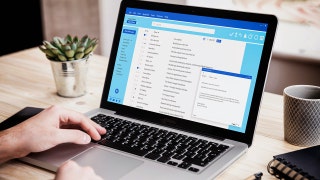
A fake HR performance review email uses a QR code to push employees toward a phishing page designed to steal login details. (Kurt "Cyberguy" Knutsson)

This email is built to feel routine and urgent at the same time. Take a closer look, and the red flags start to add up.

The message shows "CyberGuy" as the sender. The actual email address is mario@toituresphenix.com. That domain has nothing to do with the brand it claims to represent. This is one of the biggest warning signs. Legitimate companies send HR notices from their own domain. If the domain looks unrelated, treat it as suspicious right away.

The email says you must act by May 15, 2026. Deadlines push people to react fast. Scammers rely on that pressure, so you skip basic checks. Real HR systems do use deadlines. The difference is how they deliver them. They do not rely on a random email with a QR code.

The message tells you to scan a QR code to access your file. That is a newer phishing tactic called "quishing."

Why it matters:

Most companies will send a direct link or ask you to log in through a known portal. They do not force QR-only access for something as sensitive as compensation details.

The email starts with "Dear Techtips." It looks like a mailing list or placeholder. Legitimate HR messages usually address you by your full name. They often include employee-specific details that scammers cannot easily fake.

The email mentions a "secure HR access system" but never names it. There is no recognizable platform like Workday or ADP. That vagueness is intentional. It avoids giving you something you can verify.

There is a Microsoft logo in the message. That does not mean Microsoft sent it. Logos are easy to copy. The layout tries to mimic a corporate notice. Still, the formatting feels generic. Real internal emails usually follow a consistent company template you have seen before.

The message is marked as high importance. That visual cue pushes urgency again. Scammers stack these signals so you feel like you cannot ignore the message.

Instead of telling you to log into your HR portal, the email asks you to scan and access a file directly. That isn’t how sensitive employee data is handled. Companies want you inside a secure login system, not opening a file from a QR code.

FBI WARNS OF QR CODE SCAM DISGUISED IN MYSTERY PACKAGES

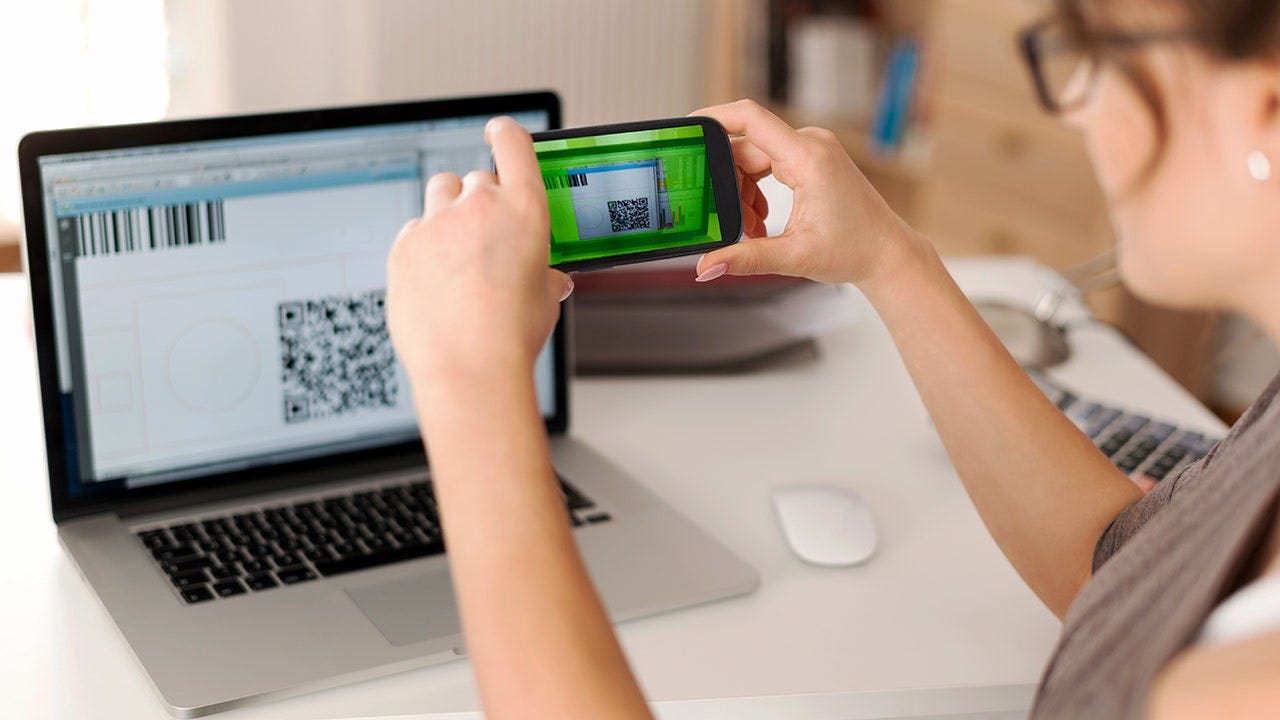
QR code phishing scams can hide suspicious links, making it harder for users to verify the destination before opening it. (Hispanolistic/Getty Images)

QR codes feel safe because we see them everywhere. Restaurants use them. Airlines use them. That familiarity lowers your guard. Scammers take advantage of that trust.

They embed malicious links inside codes so you cannot preview them easily. Once you scan, you may land on a fake login page that looks real. From there, it is a quick path to stolen credentials.

If the QR code leads to a phishing page, a few things can happen:

In some cases, attackers use the stolen login to access company systems or your email account. That can lead to more attacks against your contacts.

These scams rely on speed and distraction. Slow things down, and a few simple checks can protect your data.

If an email pushes you to scan a code, pause. Go to the official website yourself instead of using the code.

Look past the display name. Verify the full email address. If it does not match the company, do not trust it.

Access HR systems by typing the URL you already know or using a saved bookmark. Avoid links and codes in emails.

Messages that avoid your real name should raise suspicion. That is often a sign of mass phishing.

BE AWARE OF EXTORTION SCAM EMAILS CLAIMING YOUR DATA IS STOLEN

Employees should access HR systems through official portals instead of scanning QR codes or clicking links in unexpected emails. (gpointstudio via Getty Images)

If something feels off, ask your HR team directly. Use a known contact method, not the one in the email.

Strong antivirus software can block malicious links, flag phishing pages and stop malware before it installs. Get my picks for the best 2026 antivirus protection winners for your Windows, Mac, Android & iOS devices at Cyberguy.com

Scammers often use personal data found online to make emails feel more convincing. A data removal service can reduce your exposure by removing your information from broker sites. Check out my top picks for data removal services and get a free scan to find out if your personal information is already out on the web by visiting Cyberguy.com

Security updates patch known vulnerabilities. Turn on automatic updates so you are always protected.

Even if your login gets stolen, a second verification step like two-factor authentication (2FA) can stop attackers from getting into your account.

Your phone holds your email, passwords, photos, banking apps and personal data. In this free, live online class, Kurt the CyberGuy will walk you step by step through simple phone security fixes you can do in real time. You’ll learn how to improve your privacy settings, spot the latest phone scams, use trusted security tools and walk away with a simple checklist to stay protected. Register here: CyberGuyLive.com

Phishing emails keep evolving. Today, it is a QR code tied to a fake HR notice. Tomorrow, it could be something else that feels just as routine. The safest thing to do is simple. Do not trust the path an email gives you when sensitive information is involved. Use your own path instead.

CLICK HERE TO DOWNLOAD THE FOX NEWS APP

If a message asks you to act fast with a QR code, would you stop and verify it first or trust it because it looks familiar? Let us know by writing to us at Cyberguy.com

Sign up for my FREE CyberGuy Report

Copyright 2026 CyberGuy.com.  All rights reserved.

Kurt "CyberGuy" Knutsson is an award-winning tech journalist who has a deep love of technology, gear and gadgets that make life better with his contributions for Fox News & FOX Business beginning mornings on "FOX & Friends." Got a tech question? Get Kurt’s free CyberGuy Newsletter, share your voice, a story idea or comment at CyberGuy.com.

Get a daily look at what’s developing in science and technology throughout the world.

Subscribed

You've successfully subscribed to this newsletter!